
Who Is Tracking My Phone? Find Out What Your Apps Are Doing.
Uncover hidden background permissions, secret microphone eavesdropping, GPS location pings, and outbound network telemetry on your Android device. Dedicated privacy transparency with zero user accounts, zero advertising SDKs, and zero external tracking.
How to Find Out Who Is Tracking Your Phone: Audit Sensitive Permissions
Untrusted apps use high-risk permission combinations to log your location, listen through your microphone, and exfiltrate telemetry. Select a sensor below to inspect what apps can access and how to isolate them.
Precise & Background Location
ACCESS_FINE_LOCATION & ACCESS_BACKGROUND_LOCATIONAllows apps to pinpoint your exact coordinates 24/7, even when your screen is locked.
Data brokers, rogue SDKs, or stalkerware can trace your daily routes, home address, workplace, and nighttime coordinates.
Weather apps, calculators, and casual games selling GPS location packets to programmatic ad exchanges.
Change permission from "Allow all the time" to "Allow only while using the app" or "Don't allow".
How to Know Who Is Tracking My Phone: 6 Warning Signs of Secret Monitoring
When an Android device is being monitored by stalkerware, rogue telemetry SDKs, or background trackers, it leaves physical traces in power, thermal, and sensor subsystems. Watch out for these 6 critical symptoms.
Rapid Unexplained Battery Drain
Tracking services and covert spyware run continuous background loops, polling GPS beacons and transmitting location packets.
Spikes in Cellular Data Usage
Stealth apps exfiltrate media logs, audio recordings, and coordinates over cellular or Wi-Fi networks in the dead of night.
Location Dot (GPS Icon) Flashing Unexpectedly
Android shows a green or compass icon in the status bar when an app calls the location subsystem.
Device Feels Hot in Standby Mode
A phone that heats up while idle in your pocket or nightstand often has rogue processes utilizing the CPU.
Unknown Apps or Generic System Disguises
Stalkerware frequently renames its package to "Device Health", "Sync Service", "Battery Saver", or "System Update".
Microphone / Camera Green Privacy Indicator Appearing
On Android 12+, a green indicator in the top-right corner indicates an app is actively accessing the mic or camera.
Seeing any of these symptoms on your device? You can verify which app is responsible in under 60 seconds.
Audit Your Phone on Google Play →Zero-Tracking Guarantee: The Privacy Tool That Collects Zero Data
Most "security" and "antivirus" apps on Google Play are surveillance trojans themselves: they bundle heavy analytic trackers, demand intrusive logins, and monetize through targeted ad networks. "Who Is Tracking My Phone" was engineered on a strict zero-telemetry principle.
No Account Required
Zero registration, zero email prompts, zero sign-in walls. Open the app and audit immediately.
No Firebase Analytics
We do not log what apps you examine, when you use the app, or what your device runs.
No Firebase Crashlytics
Zero third-party diagnostic reporting frameworks phoning home in the background.
No AdMob or Ad Networks
Not a single advertising SDK is embedded in the binary. Clean code with zero third-party monetization trackers.
100% On-Device Processing
All inspection is performed locally using official Android PackageManager and UsageStats APIs.
Official Android Architecture Verification
The application uses Android's native application visibility APIs and, only when explicitly enabled by you, local Usage Access capabilities to calculate background attention and sensor timestamps. Nothing leaves your phone.
Take Control of Your Digital Privacy with Clear, Actionable Dashboards
Instead of navigating buried Android settings menus with dozens of taps, "Who Is Tracking My Phone" consolidates your device permissions into a clean, intuitive diagnostic command center.
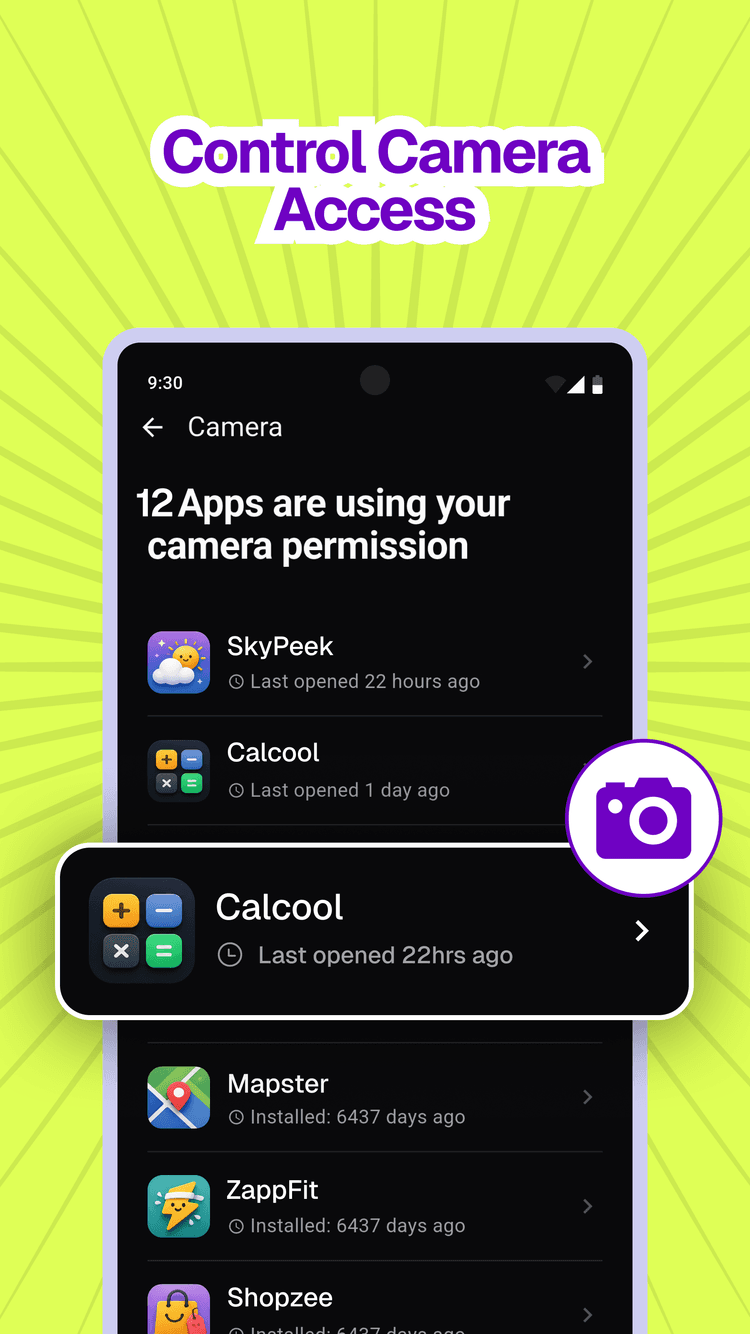
Control Camera Access
Audit every application authorized to access your camera sensors. Isolate utility apps with unnecessary visual capture permissions.
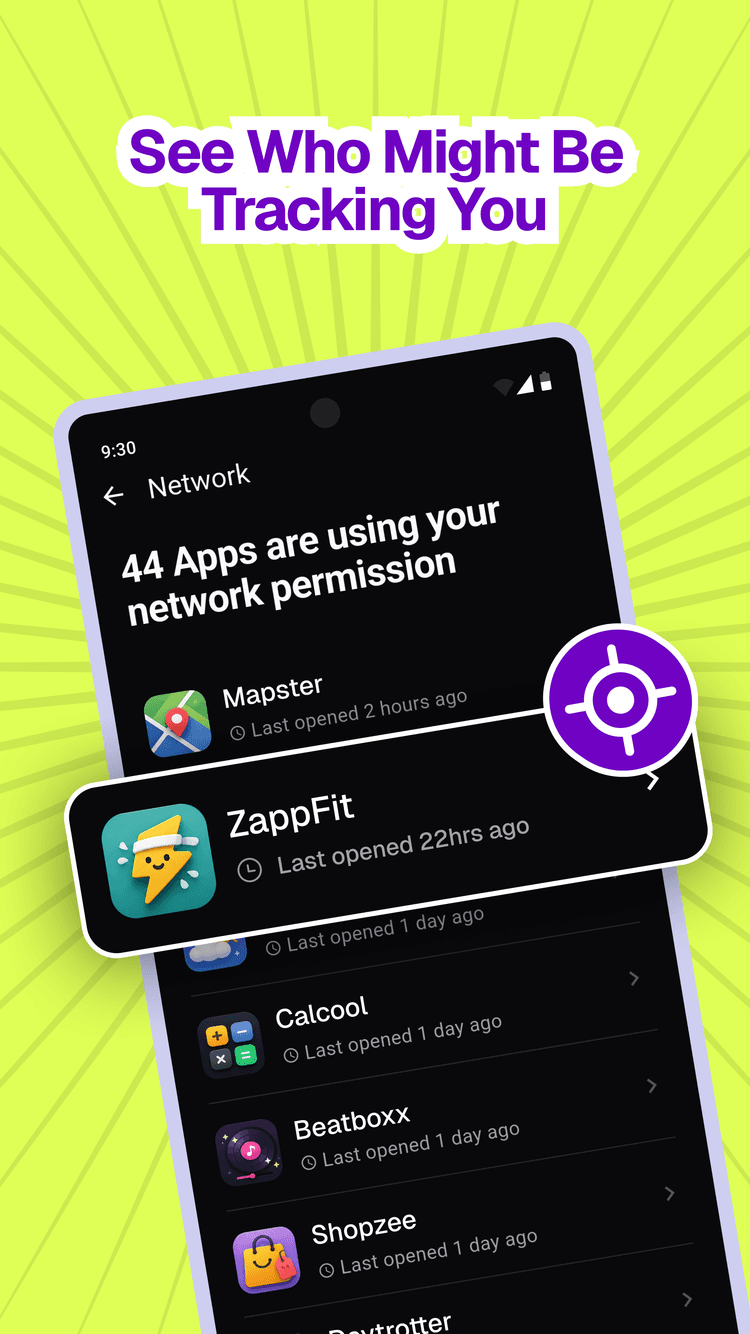
Outbound Network Telemetry
Discover which apps open continuous network sockets and transfer tracking packets or diagnostic telemetry in the background.
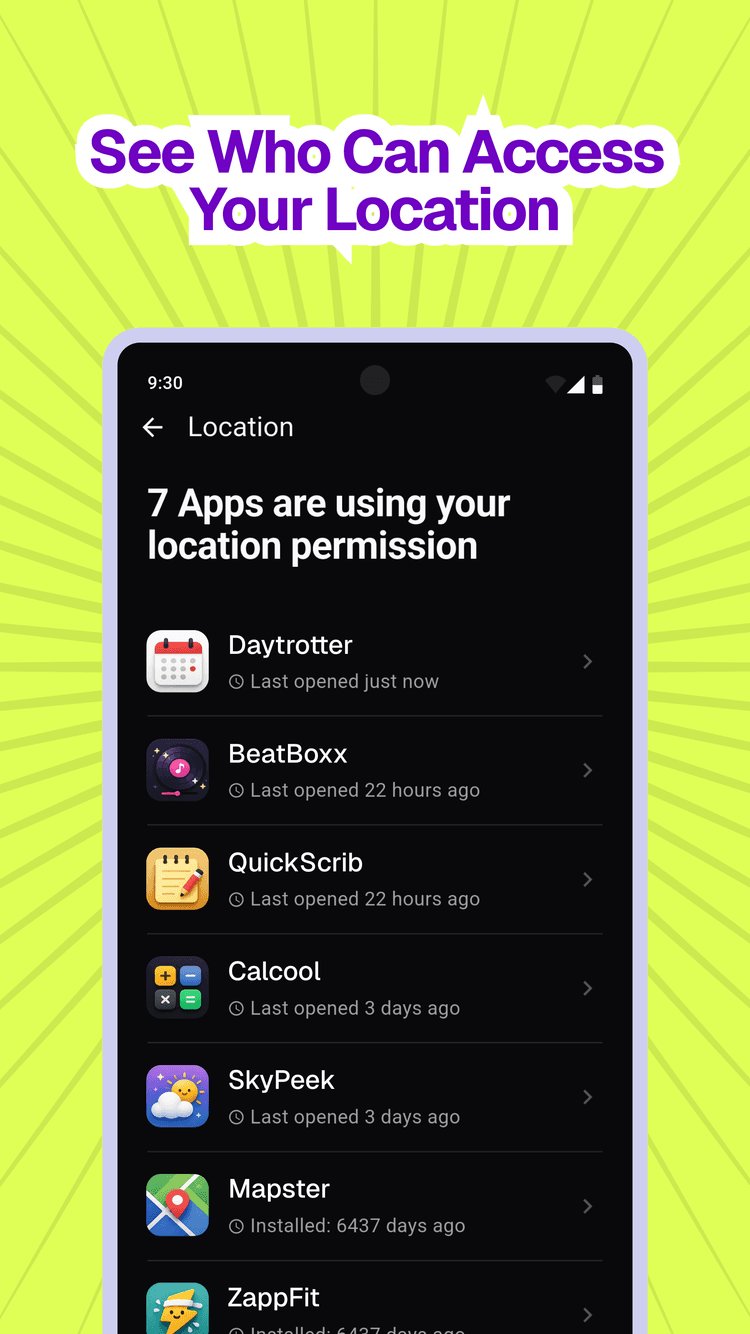
GPS & Location Surveillance
View precisely which applications have access to your fine coordinates and background location pings while you move.
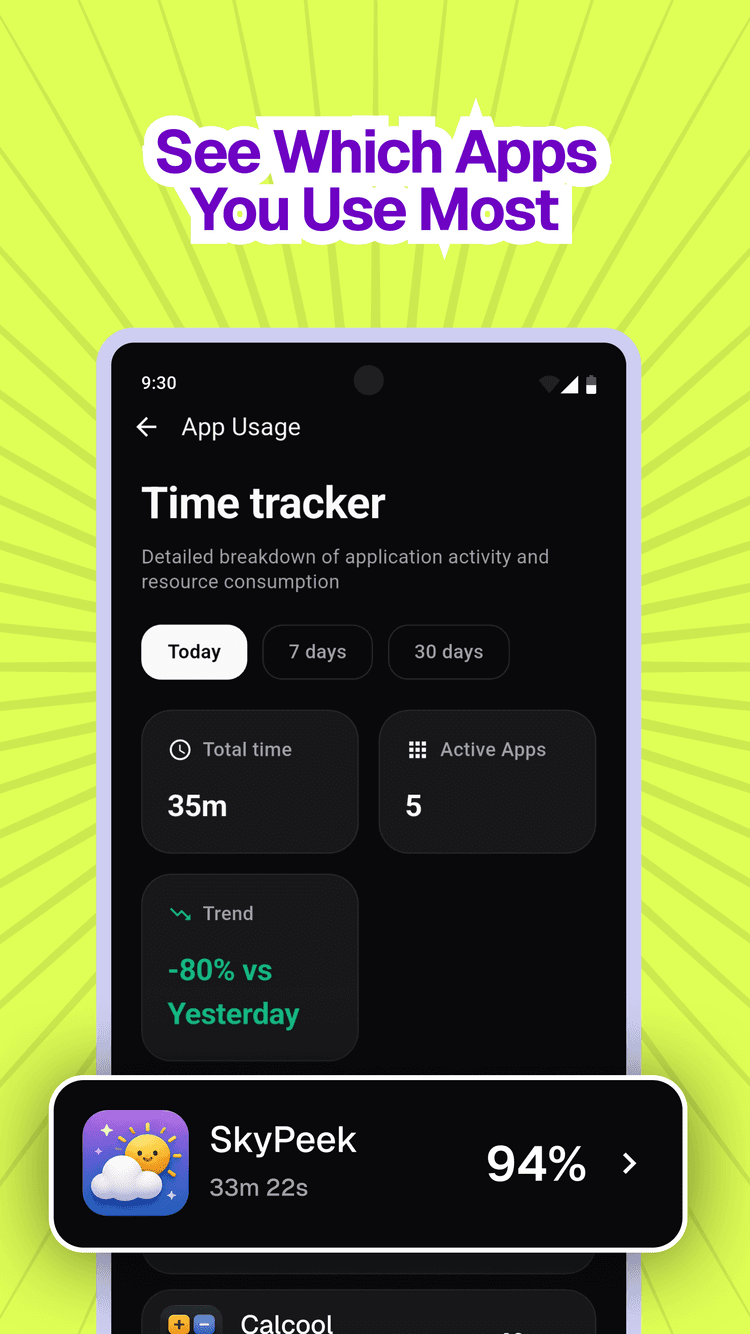
Attention & Screen Time History
Break down daily, weekly, and monthly device engagement to expose covert apps consuming battery and background processing power.
Expert Security Guides: Answering Your Critical Surveillance Questions
Comprehensive technical guides addressing car tracking devices, caller lookups, GPS surveillance vectors, and mobile stalkerware detection.
Suspecting a physical GPS beacon or hidden tracker on your vehicle? Here is who to hire and how to perform an immediate physical inspection.
When people ask "who can check my car for a tracking device?", they are typically concerned about physical magnetic GPS trackers, hardwired tracking relays, or OBD-II port trackers. Here are the professional services certified to conduct bug sweeps and how to check yourself:
- Licensed Technical Surveillance Counter-Measures (TSCM) Investigators: Professional private investigators equipped with spectrum analyzers and nonlinear junction detectors (NLJDs) that can locate electronic trackers even when they are powered down or sleeping.
- Certified Automotive 12-Volt Alarm & Audio Mechanics: Technicians who install car stereos, alarms, and dashcams know every nook behind dashboards, fuse boxes, and wire looms. They can inspect your vehicle wiring in 30 minutes.
- Your Own 3-Step Physical Inspection:
- Check the OBD-II Port: Look under your dashboard near the steering column. If a plastic dongle or wire tap is plugged in, unplug it.
- Exterior Chassis Sweep: With a flashlight, check inside wheel arches, under front/rear plastic bumper valances, and along the metal frame rails for black magnetic boxes.
- Interior Cabin Search: Inspect under front seats, inside seat back pockets, spare tire wells, and under the glove compartment.
Important Privacy Context: In over 80% of personal tracking investigations, the perpetrator does not use a car tracker. Instead, they track the target's smartphone via location sharing or an untrusted app with background GPS permissions. Auditing your phone with Who Is Tracking My Phone should always be your first step.
Frequently Asked Questions About Phone Tracking & Monitoring
Everything you need to know about who is tracking your phone, how location is determined, and how to protect your Android device from background data surveillance.
Audit active background permissions using Who is Tracking My Phone, check status bar privacy indicators, and inspect battery/usage stats.
To find out who is tracking your phone right now, start by reviewing which applications currently possess sensitive permissions: Location (GPS), Microphone, Camera, and Network sockets. On Android 12 and higher, check if a green dot or microphone/camera icon appears in your top status bar when you are not using those features. With the "Who is Tracking My Phone" app, you can instantly see a sorted list of every installed app, examine which apps recently accessed sensors, and view exact background usage duration over the last 24 hours, 7 days, and 30 days.